Phone Theft and SIM-Swap Fraud: Protecting Your Money This Festive Season
By King Matthew —
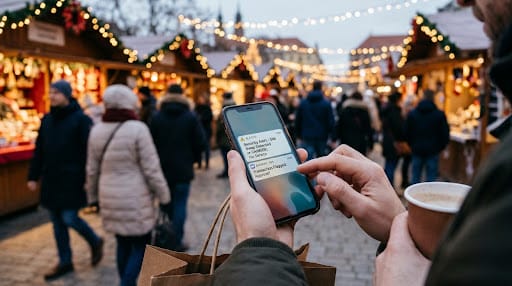
A stolen mobile phone is rarely just an insurance claim for a missing piece of hardware. During the festive travel and shopping peak between November and January, street thieves and organised criminal rings target smartphones specifically to access bank accounts, mobile money wallets, and credit lines. In cities across Nigeria, the United Kingdom, Kenya, the United States, and South Africa, a criminal who gains access to an unlocked handset or an unprotected SIM card can empty account balances within minutes.
Understanding how fraudsters breach personal finances through mobile devices allows users to set up defences before an incident occurs. Both physical theft and remote SIM swapping rely on predictable weaknesses in account verification that standard phone settings leave wide open.
The Two Methods Thieves Use to Seize Your Number
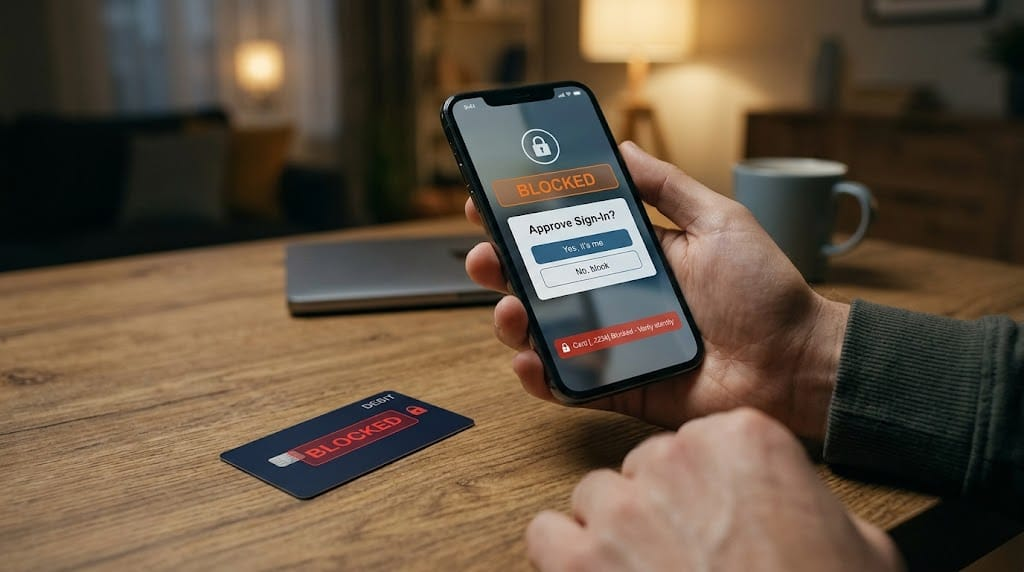
Financial theft linked to mobile devices follows one of two distinct paths: physical SIM extraction or remote SIM swapping. In a physical theft, the thief snatches the handset, ejects the physical SIM card, and inserts it into a second device. Because banks and payment services routinely send one-time passcodes (OTPs) via plain text SMS, the criminal receives every login code and balance alert without ever needing to crack the victim's screen lock.
In Nigeria, the problem extends beyond SMS codes to Unstructured Supplementary Service Data (USSD) channels. A thief with an active SIM card can dial bank shortcodes, such as *737# or *919#, to transfer money, buy airtime, or obtain instant loans using personal data found on identity cards or retrieved from public registries.
Remote SIM swapping does not require the physical phone. Instead, fraudsters gather personal details through phishing links, social engineering, or corporate data breaches. Armed with a victim's full name, date of birth, and national identification details (such as a National Identification Number in Nigeria, a Social Security number in the United States, or an ID number in Kenya), the criminal contacts the mobile network operator. Pretending to be the legitimate subscriber who lost their phone, the thief persuades the carrier to transfer the telephone number to a blank SIM card in their possession.
The moment the network completes the transfer, the victim's handset loses signal entirely, displaying “No Service” or “Emergency Calls Only”. Meanwhile, the fraudster intercepts incoming telephone calls, authentication texts, and password reset links for email accounts and financial apps.
Device Settings to Enable Immediately
Default factory configurations on both iOS and Android prioritise convenience over defence. Several specific adjustments block the paths thieves take after seizing a phone.
Set a SIM Card PIN
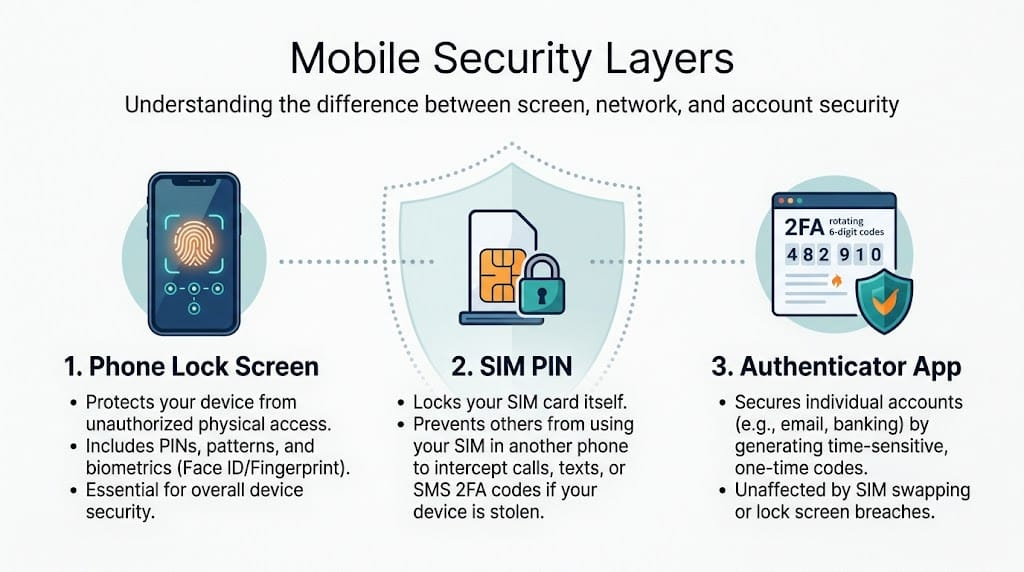
Setting a SIM card PIN ensures that the physical SIM card cannot be used in another handset without the four-digit code. If a thief pulls the tray out and inserts the card elsewhere, the card remains locked and cannot receive calls or text messages.
On an iPhone, go to Settings > Mobile Service (or Cellular) > SIM PIN, toggle the setting on, and enter the default PIN supplied by your carrier. Common default carrier PINs include “0000” or “1111”. Once entered, change it to a unique four-digit code. Three failed attempts will block the card, requiring the carrier's Personal Unblocking Key (PUK) to reset it.
On Android, open Settings > Security & Privacy > More Security Settings > SIM card lock (menu names differ slightly depending on the phone manufacturer). Switch on Lock SIM card, enter the carrier default, and update it to a private PIN.
Hide Lock Screen Notifications
Even if a phone remains locked with a fingerprint or face scan, default settings often preview text messages on the lock screen. A criminal holding the device can request a password reset on a computer and read the verification digits directly from the lit display.
On iOS, go to Settings > Notifications > Show Previews, and select When Unlocked. Next, scroll to Messages and set previews to require Face ID or Touch ID.
On Android, go to Settings > Notifications > Notifications on lock screen, and choose Hide sensitive content or Don't show notifications.
Turn on Advanced Anti-Theft Features
Apple introduced Stolen Device Protection in iOS 17.3. When the iPhone is away from familiar locations such as home or work, this feature demands biometric identification (Face ID or Touch ID) to view saved passwords, erase the phone, or apply for credit. It disables passcode fallbacks, preventing a thief who peeked at a numeric PIN over someone's shoulder from altering iCloud settings. To activate it, go to Settings > Face ID & Passcode > Stolen Device Protection.
Google provides similar features on Android devices running modern versions of Google Play services. In Settings > Google > All Services > Theft Protection, turn on Theft Detection Lock, which uses sensors to recognise a sudden snatch-and-run movement and locks the screen instantly. Turn on Offline Device Lock, which locks the display if the thief disconnects mobile data and Wi-Fi to avoid tracking.
Strengthening Banking and Payment Safeguards
Financial platforms require distinct layers of security that do not rely on standard telephone numbers.
Banking applications should never share an identical PIN with the phone's lock screen. Using a four-digit phone passcode of “1234” or a birthday that matches an ATM card or mobile money wallet gives an attacker full access to funds within seconds.
Where available, replace SMS-based two-factor authentication with dedicated authenticator apps, such as Google Authenticator, Microsoft Authenticator, or physical security keys. Authenticator apps generate codes locally on the device and do not transmit them across mobile phone networks, rendering remote SIM-swap fraud useless against those specific logins.
Customers in Nigeria should contact their banks or dial regulatory USSD kill codes to disable USSD banking on numbers they use in public if they rely primarily on mobile applications. In Kenya, Safaricom offers a SIM-swap protection service where subscribers can dial *100*100# to lock their SIM card against unauthorised swaps at agent shops. In the UK, major carriers such as EE, O2, and Vodafone allow customers to set an account security password that customer service agents must verify before processing a SIM replacement or number transfer. In the US, major carriers offer “Port Freeze” or “Number Lock” settings inside their mobile apps to prevent unauthorised porting to another carrier.
Comparison of Theft Vectors and Defences
| Attack Method | Vulnerability Exploited | Primary Defence | Action If Breached |
|---|---|---|---|
| Physical Handset Snatch | Unlocked screen or visible lock screen notifications | Hide message previews; enable biometric-only stolen device protection | Trigger remote wipe via Find My or Find Hub |
| SIM Card Extraction | Unprotected physical SIM card moved to another device | SIM PIN lock enabled via handset settings | Call carrier to suspend SIM and bar IMEI number |
| Remote SIM Swap | Social engineering of carrier support agents | Carrier account PIN; port-out locks; app-based 2FA | Report immediate loss of signal to bank and carrier |
| USSD Banking Drain | Accessible phone number tied to financial profile | Deactivate USSD banking profile or set secondary transfer PINs | Dial emergency bank kill code from any third-party phone |
What to Do in the First Hour After Phone Loss
When a phone disappears or cell service abruptly vanishes without an obvious network outage, swift intervention determines whether bank balances survive.
- Freeze bank and mobile money accounts: Use another device or borrow a phone to contact your financial institutions immediately. In Nigeria, dial your bank's dedicated USSD block code (such as *966*911# for Zenith Bank or *894*911# for First Bank) from any working line to freeze transactions instantly. In Kenya, contact Safaricom to suspend M-Pesa services. In the UK and Canada, use web banking portals to freeze debit and credit cards.
- Suspend the mobile line: Call your mobile network operator's emergency fraud line. Instruct the representative to blacklist the SIM card and block the International Mobile Equipment Identity (IMEI) number of the handset.
- Send a remote wipe command: Access Apple's iCloud (icloud.com/find) or Google's Find My Device (android.com/find) from a computer or tablet. Put the handset in Lost Mode and initiate an account wipe. Do not remove the device from your account list; removing it disables Activation Lock, allowing the thief to reset and resell the hardware freely.
- Revoke connected account sessions: Log into primary email accounts (such as Gmail, Outlook, or iCloud) from a desktop browser. Go to security settings, choose “Sign out of all sessions”, and update account passwords. This severs the connection to apps stored on the stolen phone.
- File a police report: Visit the nearest police station to report the crime and request an incident reference number. Insurers and financial ombudsmen in the UK, South Africa, and North America require this document before reviewing claims for stolen funds.
Conclusion
Smartphones serve as the physical keys to personal wealth, containing identification documents, banking access, and communication records. Criminals exploit the gaps between mobile network verification and banking security to divert money within hours of taking a phone. Configuring SIM PINs, disabling lock screen previews, enabling manufacturer anti-theft systems, and keeping carrier account passwords private create substantial barriers against these attacks, keeping personal funds safe throughout the busy holiday season.
Sources
- Apple Support: About Stolen Device Protection for iPhone
- Google Android Help: Protect Your Device Against Theft
- Federal Communications Commission (FCC): SIM-Swapping Scams
- UK National Cyber Security Centre (NCSC): Keeping Your Devices Secure
Disclaimer: This article is for informational purposes only and does not constitute financial, legal, or cybersecurity advice. Technical features and telecom codes vary by device model, software version, and service provider.
Category: Security